
For iPhone. In testing, not yet released.
Today's session is already waiting.
Jordie runs one 12-week strength plan. Open it and it shows the next session, saves every set as you log it and times your rest on the Lock Screen.
- No account
- Works with no signal
- Nothing leaves your iPhone

Twelve weeks. The first two run fewer sets, to ease in. The other ten run the plan as written.
A session, start to finish
Press Start workout and Jordie walks the session one exercise at a time.
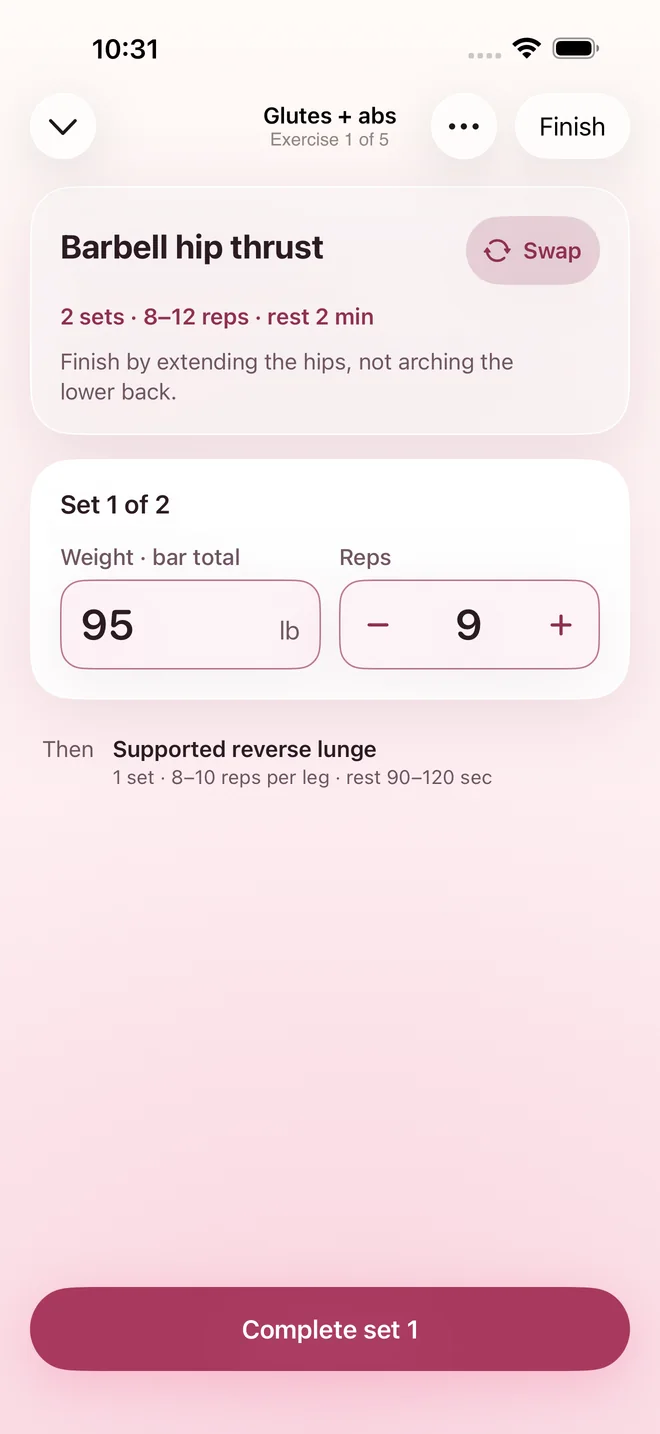
Log a set
Type the weight, tap the reps, press Complete. A set counts once it's saved, so closing the app mid-workout loses nothing.
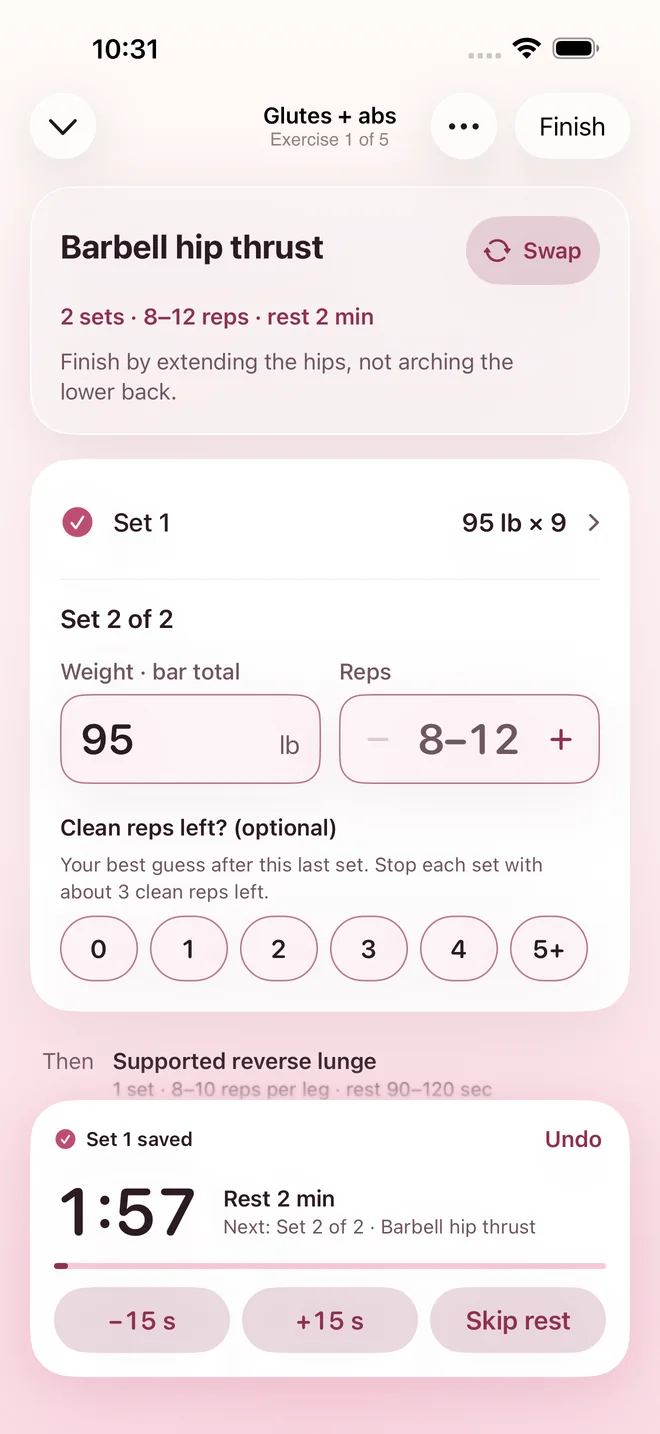
Rest
The countdown starts by itself, set to the rest the plan asks for. Add or take off 15 seconds, or skip it.
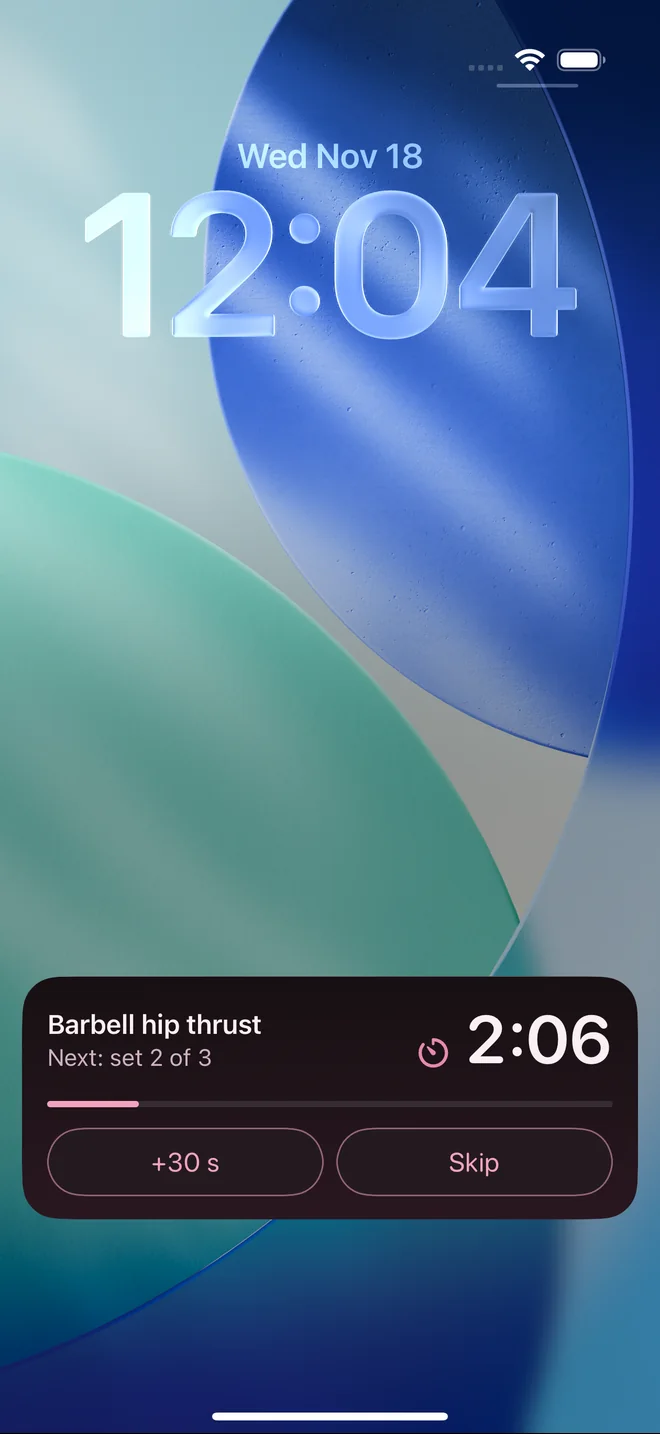
Lock your phone
The same countdown shows on the Lock Screen with +30 s and Skip, so you don't unlock between sets.
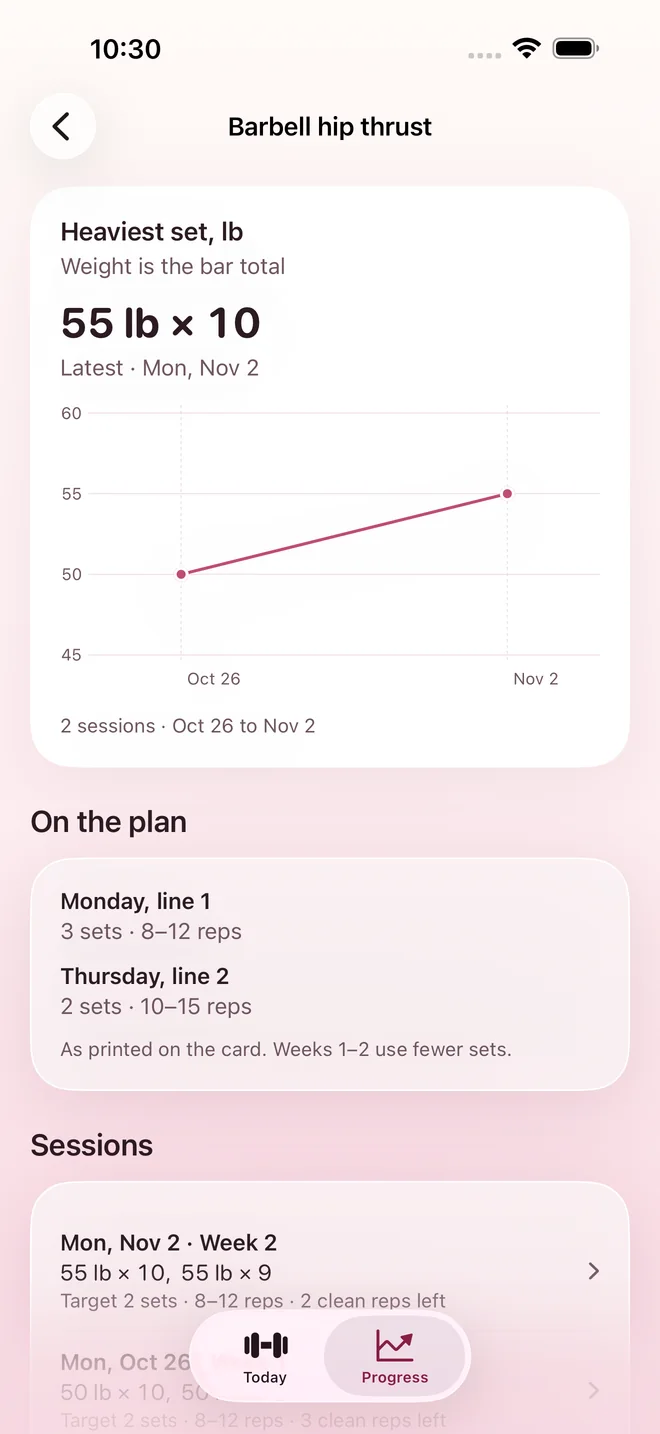
Look back
Each lift has a chart of your heaviest set per session, drawn only from what you logged.


The screenshots are from the app, with sample numbers.
What Jordie leaves alone
A training log is easier to trust when it does less. The privacy page has the detail.
- No account, no sign-in.Open it and train. There is nothing to set up first.
- Nothing leaves your iPhone.Jordie doesn't connect to the internet. Your workouts are stored on the phone and work in any gym.
- Nothing is logged for you.Weights start blank, and a set is saved only when you press Complete.
- Your records are yours.Export every workout as one file, or delete them all, from Settings.
- No calorie counting, no weigh-ins.Jordie tracks training and nothing else.
Questions
Can I download it?
Not yet. Jordie is still being tested and isn't on the App Store or TestFlight.
Does it need the internet?
No. The plan is built into the app and your workouts are saved on the phone, so it works with no signal.
Can I use my own plan?
Not today. Jordie runs the one 12-week plan it was built around.
What happens to my workouts if I delete the app?
They are stored in the app, so deleting it removes them from the phone. To keep a copy, create an export file in Settings first.
Is there an Android version?
No. Jordie is for iPhone only.

Still in testing
Jordie isn't available to download yet. When it is, this page will say where to get it.